How to Organize PDF Pages for Clearer Reading and Review
When you organize PDF pages, the goal is not merely to make a file look tidy. A useful page order helps someone understand the document, find the right passage, and act on the information without guessing what comes next. That matters whether you are reviewing a packet of meeting notes, keeping a reference manual, or preparing a document to share.
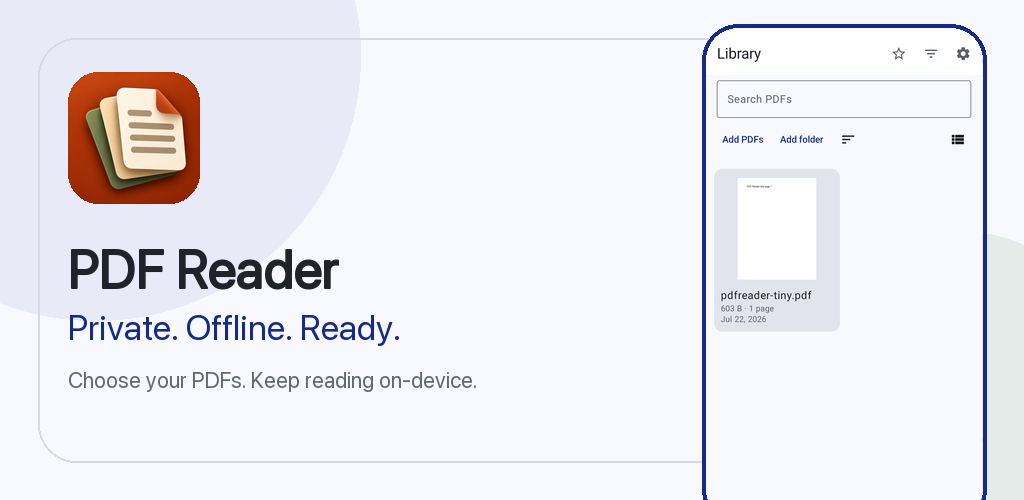
The approach below starts with the reader's needs. It separates decisions about content order from decisions about software, so you can apply the process even when a document is long or its structure is uneven. PDF Reader supports reading PDF files and page organization, along with search, annotations, sharing, and printing. Those capabilities can support the process, while the specific available page actions should always be checked in the version you use.
Organize PDF Pages Around the Reader's Goal
Before changing a document, write one sentence describing what its next reader should be able to do. For a meeting packet, the sentence might be: "Understand the decision first, then review the supporting details." For a study packet, it could be: "Move from the overview to explanations and finally to practice material." This gives you a reason for every page position.
Identify the main audience as well. A teammate joining an unfamiliar project may need context before raw data. Someone checking a single result may want a summary first and detailed records afterward. These are different reading paths, even when the source material is identical.
Do not assume every page should move. A document with a working table of contents, legal numbering, or cross-references may already depend on its original sequence. In such cases, plan a reading order in a separate note rather than casually changing the source. Where you can safely reorganize pages, make the desired sequence explicit before touching the file. A small outline is often enough: context, key points, evidence, next steps, and appendix.
Start With a Three-Pass Page Inventory
The fastest way to create confusion is to make changes while you are still discovering what the PDF contains. First, read through the document without editing it. Note the beginning and end of major sections, where the reader would naturally pause, and any pages that seem separated from their explanations. Resist fixing every issue during this pass; concentrate on understanding the whole.
On the second pass, label pages by purpose rather than only by page number. Useful labels include introduction, instructions, example, reference, result, supporting evidence, and appendix. One page can serve more than one purpose, but you should still identify its main job. These labels reveal patterns: a conclusion placed before the evidence it needs, for instance, or instructions split across unrelated material.
On the third pass, make a short action list. Distinguish pages that should remain where they are from pages that might belong elsewhere. Mark uncertain cases for review instead of guessing. If a page refers to another page by printed number, flag that dependency. Record your planned sequence outside the PDF so you can compare the result afterward. This approach may seem deliberate, yet it usually prevents more rework than a series of impulsive edits.
Choose a Logical Sequence Before Editing
There is no universal best order for every document. A tutorial often works best as goal, prerequisites, steps, example, and troubleshooting. A proposal may work as decision, context, options, evidence, and recommendation. A reference packet may need an index or overview followed by grouped material. Choose a structure that matches how the reader will use the pages, not simply how the files were gathered.
For each possible move, ask: "What does the reader need to know before this page makes sense?" If a chart depends on definitions, the definitions should normally appear first. If an example demonstrates a procedure, place it near the explanation rather than many pages away. If an appendix is rarely needed, positioning it after the main argument can keep the primary route short.
Think about transitions, too. Two useful pages can feel disconnected when one assumes information that the other has not yet introduced. A brief outline beside your screen can make these gaps visible. Keep grouped content together when possible, and avoid moving a page merely because its subject resembles another heading. Meaningful sequence is about relationships, not cosmetic similarity.
If your software offers a page-organization action appropriate to the plan, apply the changes in manageable groups. Do not assume every PDF application offers the same controls or preserves every type of document structure in the same way. Check the current interface and review the result after each group.
Keep Page References Easy to Trace
An organized PDF is only useful if the reader can still follow its references. Printed page numbers, citations, bookmarks, section labels, and mentions of "the following page" may point to an original sequence. When pages move, those references may no longer match the file's displayed order. That mismatch is especially disruptive in meeting packs, instructional material, and documents with detailed footnotes.
Before you rearrange anything, list the references that matter. If an internal instruction says "see page 12," verify what that phrase means: a number printed on the page, the position in the PDF, or a page in a larger original document. These are not always identical. Avoid silently changing an authoritative document whose numbering is important to recordkeeping.
For material you are allowed to adapt, compare the reference list with the new order. Where a reference cannot be updated safely, preserve the original document and provide a separate navigation note for the reader. A simple mapping such as "overview begins at displayed page 4" is clearer than pretending every printed number has been revised.
Keeping an untouched source copy is a useful precaution. It gives you a point of comparison if a section seems to be missing or a reference no longer makes sense. The aim is not perfection in every file; it is traceability for the people who depend on it.
Pair Page Organization With Search and Annotations
Once the sequence makes sense, check how easily a reader can work with the content. PDF Reader supports search and annotations in addition to page organization. Search can help you return to a term while reviewing the document; annotations can help you record questions or mark passages that deserve another look. Treat them as companions to a clear page sequence, not substitutes for it.
Choose a handful of terms that represent the document's core ideas. Search for each term and follow the matches through the reading flow. If an important concept appears in a section where the reader would not expect it, reconsider the surrounding order. Keep this as a navigation test rather than a claim that every kind of PDF contains searchable text. The behavior depends on the file's actual content, so verify it with the document at hand.
Use annotations sparingly and consistently. For example, one kind of note can flag a question to resolve, while another identifies a source to check. Long comments on every page can make review harder, not easier. If you are preparing a shared document, decide whether your notes are meant for collaborators or only for your own review. Check what is actually present in the final copy before assuming a recipient will see the same markings.
A brief review log outside the PDF can also help: page or section, issue, and decision. That log is particularly useful when you need to explain why a section moved without turning the article itself into an editing history.
Prepare a Clean Copy for Sharing or Printing
A PDF that reads well on a screen may still require a separate check before it is sent or printed. PDF Reader supports sharing and printing, but the final result can depend on the document, device, printer, and chosen output settings. The safe habit is to inspect the intended output rather than assume every option behaves identically.
For sharing, give the file a descriptive name that identifies its purpose or version without exposing information unnecessarily. Confirm that the file is the reviewed copy, not an earlier draft with a similar name. Open it from the location where you plan to send it and check the first page, a middle section, and the ending. If the content is sensitive, verify that the recipient and sharing method are appropriate before proceeding.
For printing, consider whether the order works as a physical packet. Is the cover useful? Do instructions appear before forms they explain? Will a reader understand sections when pages are no longer viewed on a screen? If there is a print preview available in your setup, inspect it for cut-off content and unexpected blank pages. Check orientation, paper size, and the actual printer settings rather than assuming the on-screen arrangement guarantees the physical result.
Avoid modifying the only copy. Preserve the original until you have confirmed that the organized version contains what you need. A clear naming pattern such as "project-notes-original" and "project-notes-reviewed" makes that distinction more reliable than relying on memory.
Review the Final Order With a Repeatable Checklist
After arranging the material, perform a reader-focused check from beginning to end. Read section openings and endings aloud if that helps reveal abrupt transitions. Ask whether each page has enough context, whether a chart has the explanation it needs, and whether the conclusion follows from the information that precedes it. This is a content review, not just a count of pages.
Next, compare the finished sequence against the inventory you created earlier. Every original page that should remain needs a place in the new plan. Investigate any difference rather than assuming it was intentional. Check especially for duplicate pages, missing attachments, interrupted examples, and references that point to a different location. The more consequential the document, the more important this independent comparison becomes.
Finally, rehearse a realistic reader task. Imagine someone receiving the PDF with no explanation and asking a practical question: "Where do I find the steps?" or "What evidence supports this decision?" Try to locate the answer without using your personal notes. If you can find it quickly and follow the surrounding material without confusion, the sequence is probably doing its job. If not, revise the navigation plan before sharing.
The strongest habit is to organize PDF pages in two stages: decide what a useful reading path looks like, then verify that the finished file actually follows it. Page organization helps, but thoughtful review is what makes a document dependable.
A useful next step
Continue with the guide to finding and tracking information in a PDF when that is the task you need to solve. The PDF Reader product page provides the product context and the rest of its guides.